

Description

Revenue Recovery System: You May Not Need More Leads.
You May Need Better Follow-Through.
Your business may already have revenue sitting inside:
- estimates that were sent but never followed up,
- invoices that remain unpaid,
- and past customers who simply stopped calling.
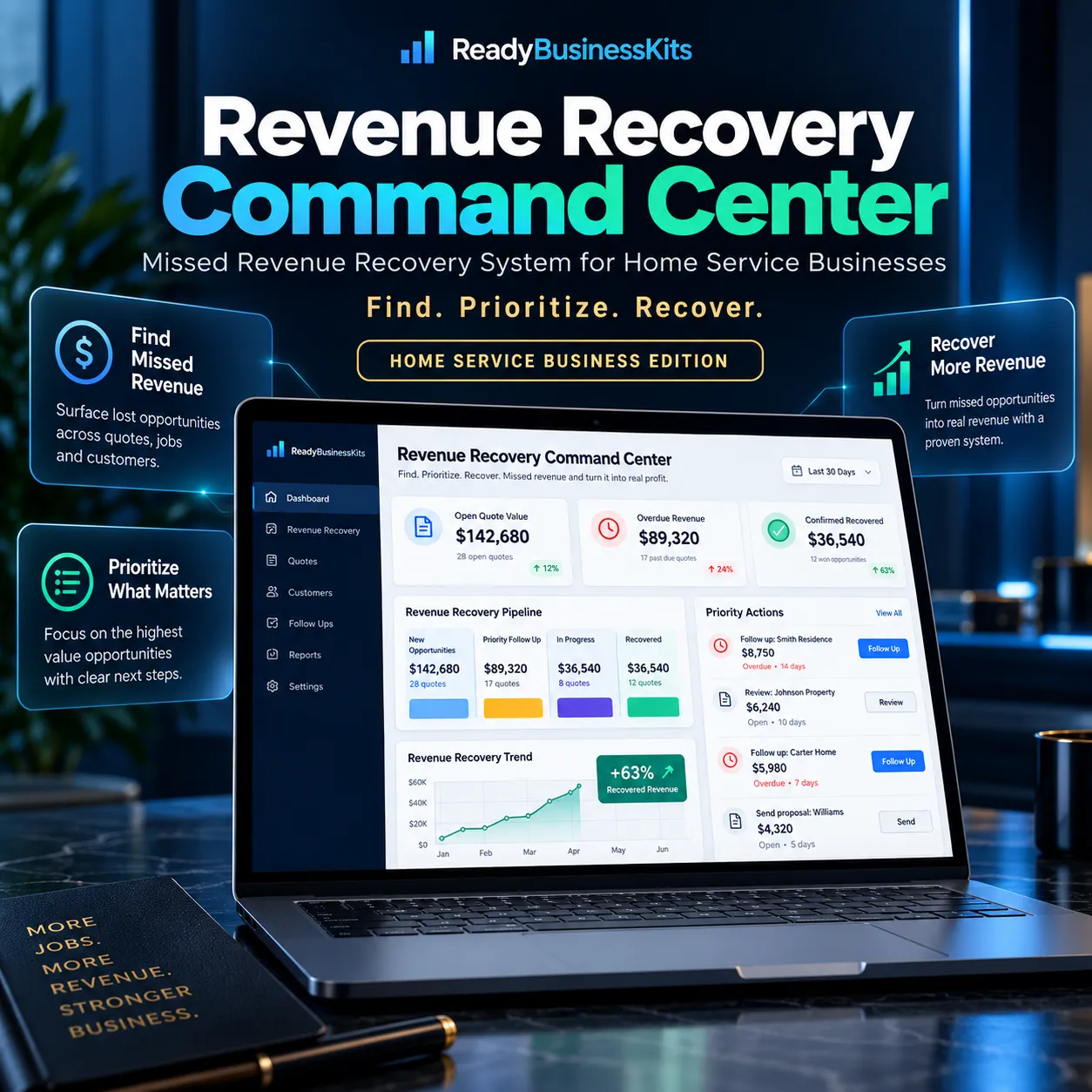
Revenue Recovery Command Center helps turn those scattered opportunities into one organized recovery workflow.
Instead of wondering who to contact next, the system helps you review your existing records, prioritize the opportunities that deserve attention, create follow-up drafts, record what actually happened, and track confirmed recovered revenue.
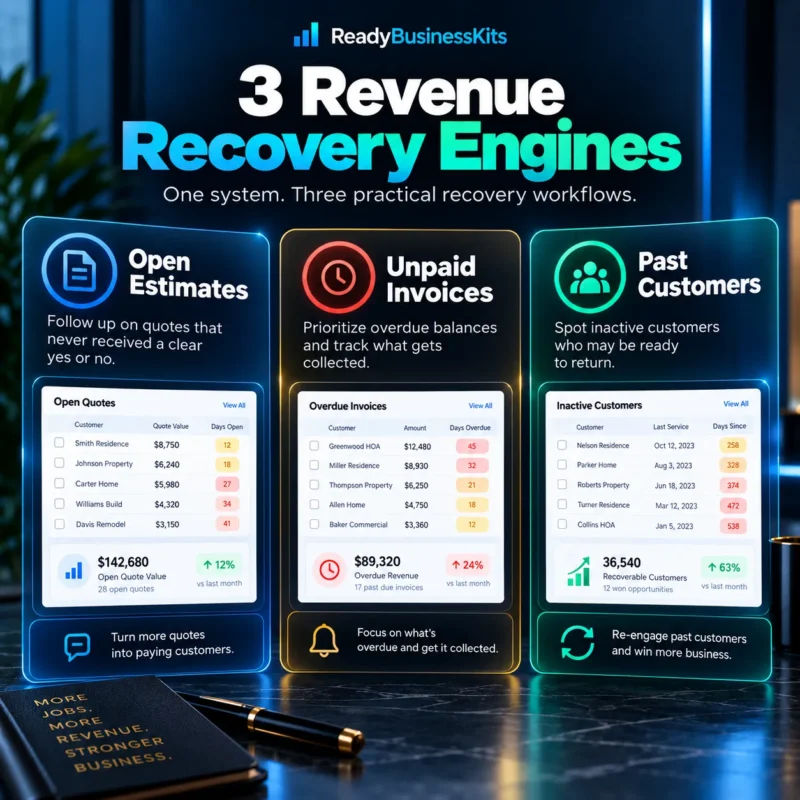
Three Revenue Recovery Engines
Open Estimates
Import open quotes and estimates that never received a clear yes or no.
The system helps organize them by factors such as quote value, age, and follow-up history so you can see which opportunities deserve attention first.
Unpaid Invoices
Bring overdue balances into one recovery workspace.
Review outstanding invoices, prioritize follow-up, create reminder drafts, and record what was actually collected.
Past Customers
Identify previous customers who have gone quiet.
Use your normal repeat-service cycle to surface customers who may be worth contacting again.
Know What to Work First
Revenue Recovery Command Center combines unresolved opportunities into a practical action queue.
Records are organized into:
ACT TODAY
Opportunities that deserve immediate attention.
THIS WEEK
Important opportunities that should be worked soon.
MONITOR
Records worth keeping visible without making them today’s priority.
These classifications are workflow aids—not predictions or guaranteed sales results.
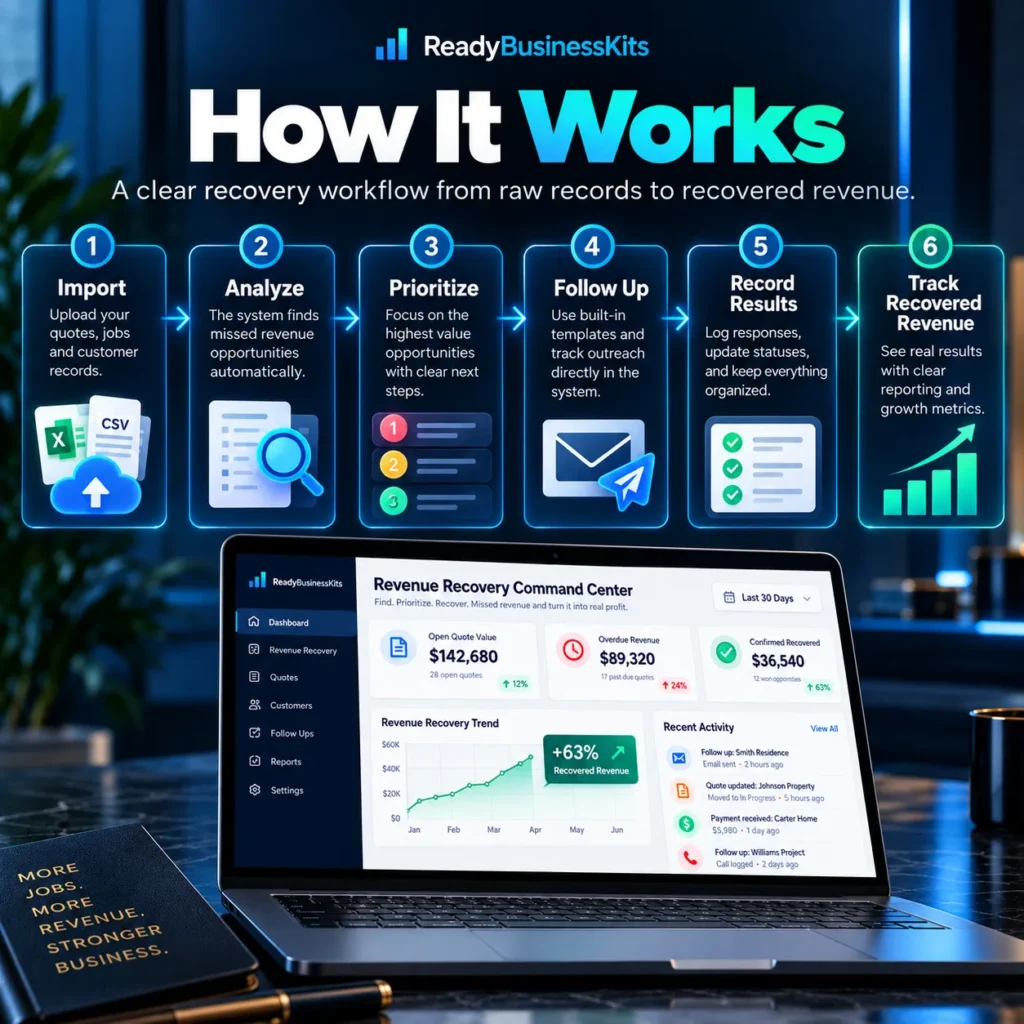
From Opportunity to Confirmed Result
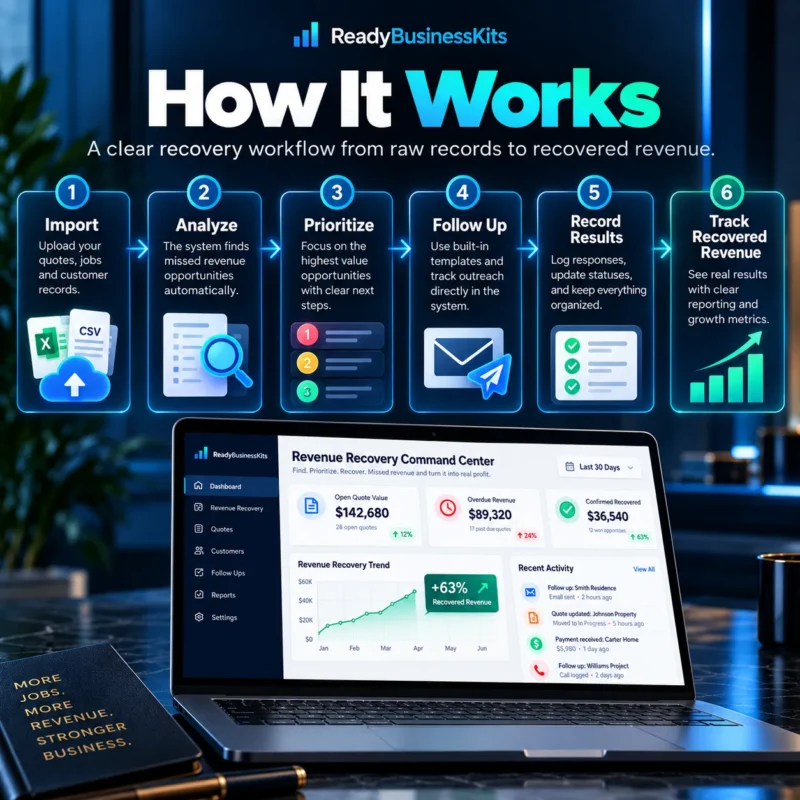
The system gives you a repeatable workflow:
1. IMPORT
Bring in estimates, invoices, or past-customer records using CSV files.
2. ANALYZE
Review the opportunities and check the quality of the imported information.
3. PRIORITIZE
See what deserves attention first.
4. FOLLOW UP
Generate a starting draft or call brief, personalize it, and contact the customer through your normal email, text, phone, or CRM process.
5. RECORD RESULTS
Mark what actually happened: Won, Paid, Reactivated, Lost, No Response, and other outcomes.
6. TRACK RECOVERED REVENUE
Only amounts you personally confirm as recovered are counted toward your results.
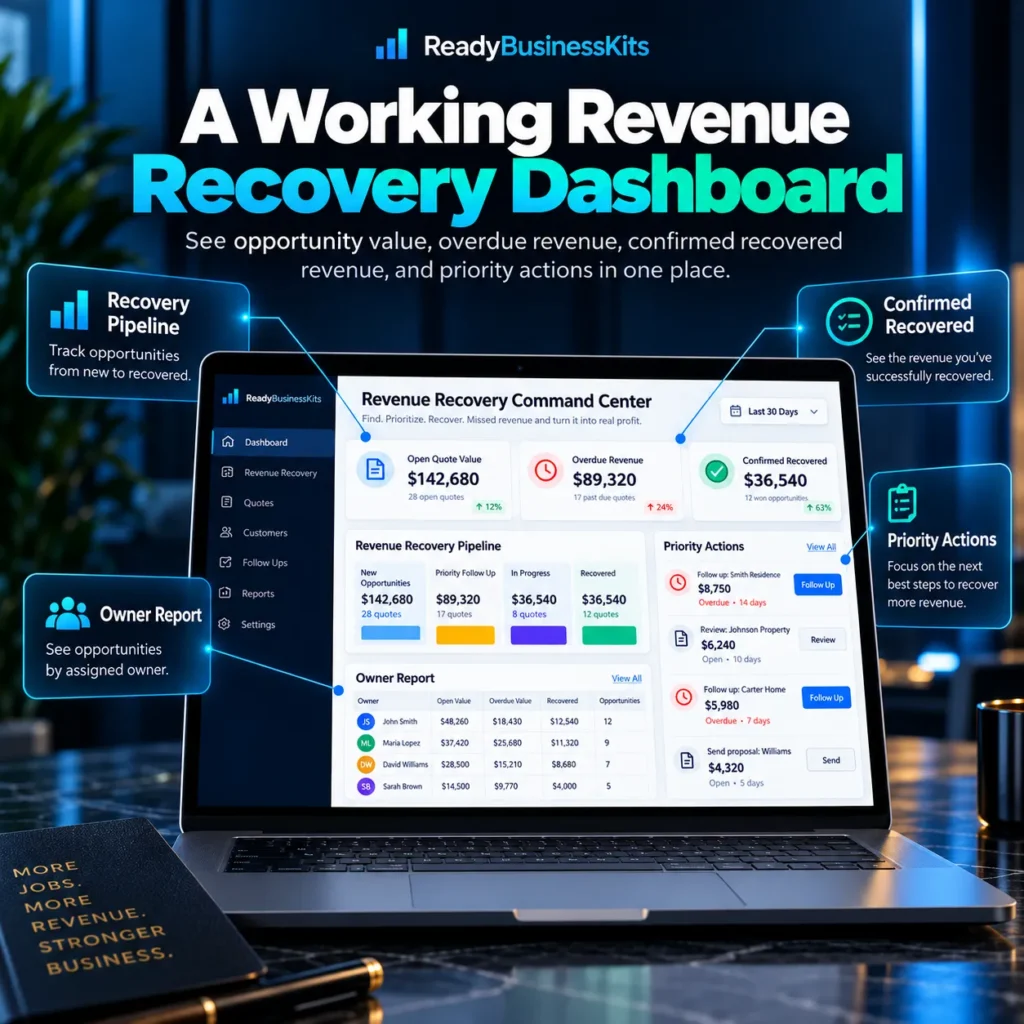
See What Is Actually Coming Back
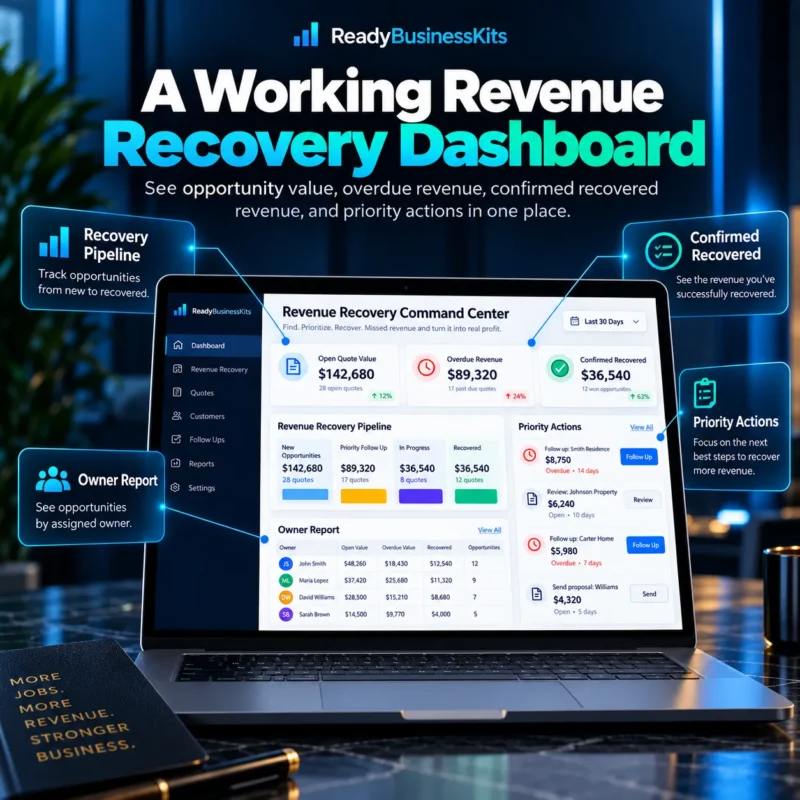
The Owner Recovery Report gives you a clearer view of:
- Open quoted value
- Overdue invoice balances
- Confirmed recovered revenue
- Priority actions still outstanding
- Recent recovery results
- Next opportunities worth working
You can also export the current action queue and print or save the Owner Report as a PDF.
This Is Not Just Another Spreadsheet
Revenue Recovery Command Center is designed as an interactive browser-based business tool.
You are not simply receiving a checklist or blank worksheet.
You receive a working system for:
- importing business records,
- organizing recovery opportunities,
- prioritizing action,
- creating follow-up drafts,
- tracking outcomes,
- and reporting confirmed results.
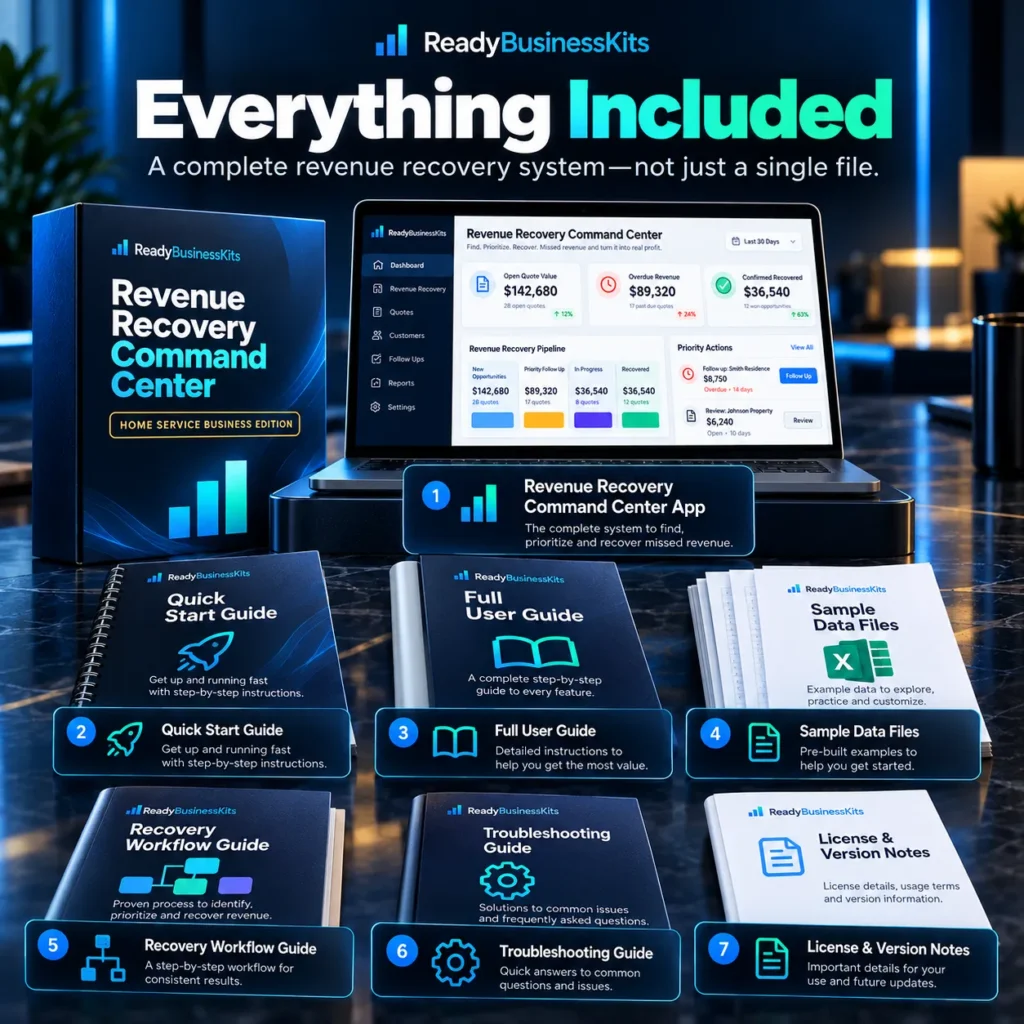
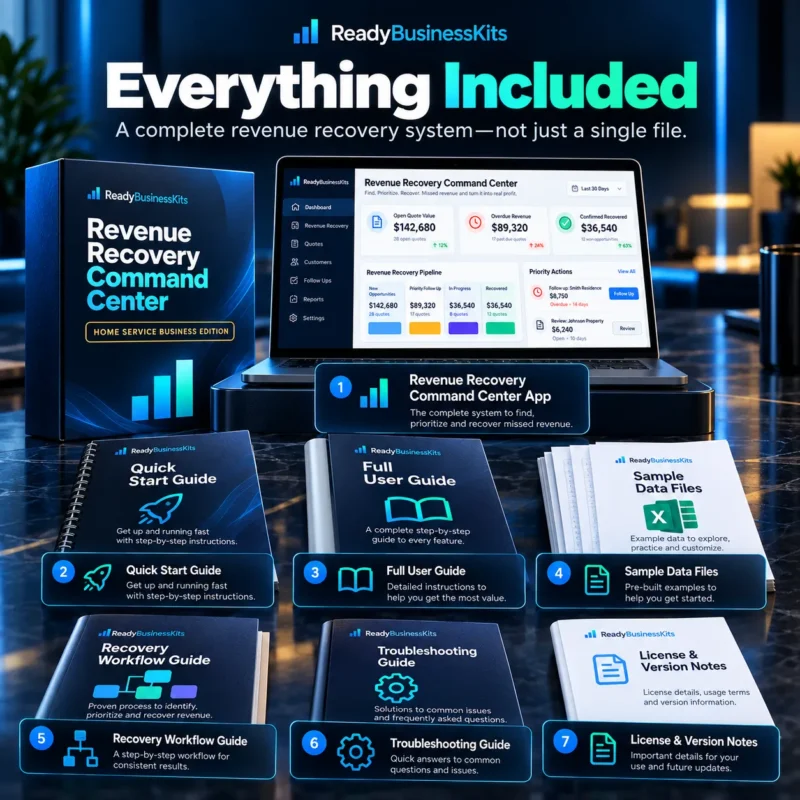
Everything Included
Your purchase includes:
Revenue Recovery Command Center Application
The complete browser-based recovery system.
5-Minute Quick Start Guide
A simple walkthrough to get you started quickly.
Full User Guide
Detailed instructions covering the major workflows and reports.
Sample Open Estimate Data
Practice before using your own records.
Sample Unpaid Invoice Data
See how the invoice recovery workflow operates.
Sample Past Customer Data
Explore the customer reactivation workflow.
Recovery Workflow Guide
A repeatable six-step process from import to confirmed outcome.
Troubleshooting Guide
Answers to common setup and usage questions.
Premium Product Hub
One central starting point for accessing the application, guides, samples, and resources.
No Subscription Required
Revenue Recovery Command Center is delivered as a downloadable browser-based application.
There is:
- No monthly subscription
- No software account required
- No complicated installation
- No automatic customer messaging
- No automatic payment collection
Open the application in a modern browser such as Chrome, Edge, Firefox, or Safari.
Your working data is stored locally in the browser in this version.
Built for Home Service Businesses
The system is especially suited for businesses such as:
- HVAC
- Plumbing
- Electrical
- Painting
- Cleaning
- Landscaping
- Lawn Care
- Roofing
- Pressure Washing
- Handyman Services
- Remodeling
- Pest Control
- Other appointment, project, and quote-driven service businesses

Start With the Revenue You’ve Already Earned the Opportunity to Win
Generating new leads can be expensive.
Before spending more money finding strangers, Revenue Recovery Command Center helps you take a closer look at the estimates, invoices, and previous customers already sitting inside your business.
Find. Prioritize. Recover.
Revenue Recovery Command Center
Missed Revenue Recovery System for Home Service Businesses
One-Time Purchase: $49
Reviews
There are no reviews yet.