
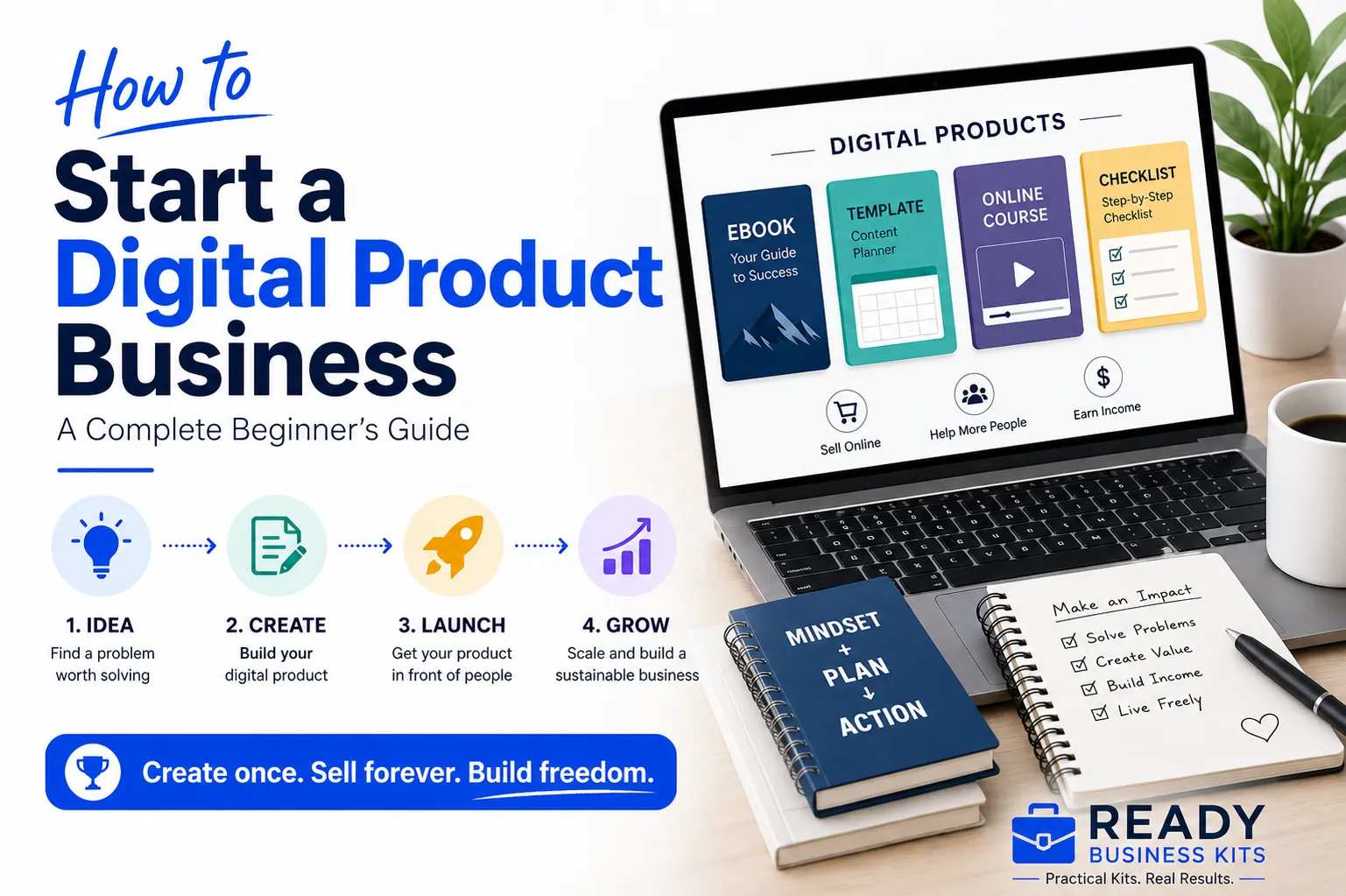
Quick answer: To start a digital product business, choose a specific audience and problem, research what buyers already want, validate the idea before building, create the simplest useful version, price and package it clearly, set up a trustworthy purchase and delivery process, and attract qualified visitors through search, email, partnerships, or other channels where your customers already spend time.
Starting a digital product business can be one of the most practical ways to turn your experience, skills, or knowledge into an online income stream.
You do not need to purchase inventory, rent warehouse space, or ship packages. You can create a useful product once—such as a template, workbook, guide, checklist, course, or business system—and sell copies online.
But digital products are not automatically passive income.
A successful digital product business still requires research, product development, marketing, customer support, and continued improvement. The advantage is that you can begin with relatively low overhead and expand gradually as you learn what customers want.
This guide explains how to start a digital product business in eight practical steps:
- Choose a specific market.
- Identify a problem worth solving.
- Validate the product idea.
- Create a focused first version.
- Price and package the offer.
- Build a trustworthy sales process.
- attract customers and email subscribers.
- Improve and scale using real results.
The goal is not to create the biggest product possible. It is to create the smallest complete product that solves a real problem well enough for someone to buy it.
What Is a Digital Product?
A digital product is an item customers can purchase and access electronically rather than receive through physical delivery.
Common digital products include:
- Ebooks and practical guides
- Business templates
- Spreadsheets and calculators
- Checklists and worksheets
- Printable planners
- Canva templates
- Notion systems
- Website templates
- Swipe files and scripts
- Online courses
- Video tutorials
- Digital memberships
- Software, plugins, and online tools
- Stock photos, graphics, icons, and creative assets
Digital products are attractive because the same core files can usually be sold repeatedly. However, each sale may still involve payment-processing fees, platform fees, customer support, taxes, software expenses, and marketing costs.
Your first decision is therefore not simply what type of file to create. It is which customer and problem you intend to serve.
Step 1: Choose a Specific Market You Understand
“Digital products” is a business model, not a niche.
A niche identifies:
- The person you serve
- The situation they are in
- The problem they need to solve
- The result they want to achieve
For example, “business templates” is broad. A more specific market might be:
- Client-onboarding templates for freelance designers
- Review-request scripts for local service businesses
- Content-planning systems for solo consultants
- Product-launch worksheets for first-time digital creators
- Cash-flow trackers for home-service contractors
Specific products are often easier to explain because the intended buyer can immediately recognize that the product was made for someone like them.
Start With Experience You Already Have
List the subjects you understand because of your:
- Career
- Business experience
- Hobbies
- Volunteer work
- Personal projects
- Caregiving responsibilities
- Problems you have solved
- Systems you have developed
- Software you use confidently
You do not need to be the world’s leading expert. You do need enough knowledge to help the customer achieve the promised result accurately and responsibly.
A person who has managed projects for 20 years might create a project-planning toolkit. A retired bookkeeper might create a small-business expense tracker. A freelance designer might create a client-feedback system.
Your practical experience can become part of the product’s value.
Combine an Audience With a Problem
A useful niche statement follows this structure:
I help [specific audience] solve [specific problem] so they can achieve [specific result].
For example:
I help new local-service business owners create a simple launch plan so they can start attracting customers without overlooking critical setup steps.
This statement is more useful than saying, “I sell business printables,” because it identifies the buyer, the problem, and the outcome.
Ask These Questions Before Moving Forward
- Who is the intended customer?
- What are they trying to accomplish?
- What is preventing them from doing it?
- What have they already tried?
- What would make the task easier or faster?
- Where does this audience look for help?
- Are they already purchasing related products or services?
If you cannot answer these questions, the market may still be too broad.
Step 2: Identify a Problem Worth Solving
A product idea becomes stronger when it addresses a problem that is:
- Specific
- Repeated
- Frustrating
- Expensive
- Time-consuming
- Connected to an important goal
“Help people become more organized” is vague.
“Help independent consultants collect the information they need before beginning a client project” is specific.
The second problem can become a client questionnaire, onboarding checklist, kickoff agenda, email sequence, and workflow guide.
Look for Repeated Work
Many good digital products begin with something a person is repeatedly creating from scratch.
Examples include:
- Rewriting the same customer email
- Rebuilding the same spreadsheet
- Following an undocumented process
- Forgetting steps in a launch
- Struggling to organize content
- Creating proposals manually
- Responding inconsistently to customer reviews
- Planning a product without a clear system
When a customer repeatedly spends time recreating a process, a template or toolkit may have real value.
Focus on Outcomes, Not File Types
Customers rarely wake up wanting to buy a PDF.
They want to:
- Launch an offer
- Save time
- Make a decision
- Attract leads
- Improve a sales page
- Organize a project
- Respond professionally
- Avoid an expensive mistake
- Complete an unfamiliar task
Your product format is simply the delivery method.
Instead of asking, “What ebook should I write?” ask:
What useful result can I help a specific customer achieve?
That question produces better product ideas.
If you are still deciding what to create, use our guide to How to Find Digital Product Ideas That Actually Sell to turn recurring customer problems and market signals into stronger product possibilities.
Step 3: Validate the Product Before Building It
Before investing heavily in production, follow How to Validate a Digital Product Idea Before You Build It for the complete process of testing demand, buyer behavior, and willingness to take meaningful action.
Validation means collecting evidence that people have the problem and are willing to take action to solve it.
Compliments are not validation.
Likes are not validation.
A friend saying “That sounds like a great idea” is not validation.
The strongest evidence is a purchase, preorder, deposit, or another meaningful commitment. Before reaching that point, search behavior, customer questions, competitor activity, and email signups can provide useful supporting evidence.
Research the Language Customers Use
Search for the problem on:
- YouTube
- Facebook groups
- Quora
- Industry forums
- Marketplace search bars
- Product reviews
Look for phrases such as:
- “How do I…”
- “Is there a template for…”
- “What should I include in…”
- “I keep struggling with…”
- “Does anyone have a checklist for…”
- “What is the easiest way to…”
Save the customer’s actual wording. It can later help with your product title, sales-page copy, article headings, emails, and frequently asked questions.
Examine Existing Alternatives
Competition is not automatically bad. It can demonstrate that customers already purchase solutions in the market.
Study:
- What competing products promise
- What they include
- How they are positioned
- What customers praise
- What customers say is missing
- Whether products are too broad, too complicated, or poorly explained
- How you could make the solution easier to implement
Do not copy a competitor’s files, branding, descriptions, or distinctive content. Use the research to understand customer expectations and find an honest point of differentiation.
Speak With Potential Customers
Ask a small number of people in the intended audience questions such as:
- What is the hardest part of this task?
- What have you already tried?
- What takes the most time?
- What are you afraid of getting wrong?
- What would an ideal solution include?
- Would you prefer a guide, template, checklist, calculator, or complete toolkit?
Avoid leading questions such as, “Wouldn’t this be a great product?”
You are trying to discover the truth, not persuade the person to approve your idea.
Test the Offer Before Completing the Product
Possible validation tests include:
- A waitlist page
- A free checklist related to the topic
- A small paid workshop
- A limited preorder
- A minimum version of the product
- A direct offer to several qualified prospects
- A short email campaign to an existing audience
When offering a preorder, clearly explain that the product is still being completed and provide an honest delivery date.
A preorder that does not sell is not necessarily proof that the idea is worthless. The problem could be the audience, offer, message, price, trust level, or amount of traffic. It does mean that you should investigate before investing heavily in production.
Use a Structured Validation Process
The 7-Day Offer Validation & Launch System can help you organize this process instead of relying on instinct alone.
Step 4: Create a Focused First Version
Once you have evidence of demand, create the simplest version that delivers the promised result.
This is not permission to release incomplete or careless work. It means avoiding unnecessary extras before customers have confirmed that they want them.
Define the Product Promise
Complete this sentence:
After using this product, the customer will be able to __________________.
For example:
After using this product, the customer will be able to choose, validate, outline, price, and prepare a digital product for launch.
Every component should contribute to that result.
If a bonus does not help the customer achieve the promised outcome, remove it from the first version.
Build the Product Around Implementation
Information alone is widely available. A stronger product helps the buyer act on the information.
Depending on the subject, include:
- A step-by-step guide
- An action checklist
- Editable templates
- Worksheets
- Examples
- Decision trees
- Calculators
- Scripts
- Prompts
- Quick-start instructions
- A completion plan
This combination turns general advice into a practical system.
Match the Format to the Customer
Use the tools and file types your buyer can access comfortably.
Examples:
- Google Sheets or Excel for calculations and tracking
- Canva for editable visual materials
- Word or Google Docs for scripts and documents
- PDF for instructions and fixed-layout guides
- Notion for connected databases and dashboards
- Video for demonstrations that are difficult to explain in writing
When possible, provide both editable files and a PDF reference version.
Test the Entire Customer Experience
Before publishing, ask someone unfamiliar with the product to:
- Complete the purchase or test checkout.
- Download the files.
- Open every file.
- Follow the start-here instructions.
- Attempt the main task without your help.
- Report confusing steps, missing information, or broken links.
A product can contain excellent information and still create a poor experience if the customer does not know where to begin.
The Product Creation Planning Kit can help structure the product before you begin building unnecessary components.
Step 5: Price and Package the Product
Digital product pricing should reflect the usefulness of the result, the depth of the solution, the intended customer, competing alternatives, and your market position.
It should not be based only on how many pages the product contains or how long it took you to make it.
Consider the Value of the Outcome
Ask:
- How much time could this save?
- Could it help the buyer avoid an expensive mistake?
- Does it replace part of a professional service?
- Does it help the buyer earn or retain money?
- How often can the customer use it?
- How complete is the implementation support?
A reusable client-onboarding system may be more valuable than a long ebook because the buyer can use it repeatedly in a revenue-producing business.
Compare the Available Alternatives
The customer may be choosing between:
- Doing nothing
- Building the resource from scratch
- Using a free generic option
- Buying a competing product
- Hiring a freelancer
- Hiring a consultant
- Purchasing software
Your product should make sense compared with those alternatives.
Create Clear Pricing Levels
A product ladder might include:
- Entry-level: checklist, starter template, mini-guide
- Core offer: complete system or toolkit
- Premium offer: comprehensive bundle, advanced implementation system, or higher-touch assistance
Pricing levels allow customers to begin at the level that matches their needs and confidence.
Use Bundles Strategically
A bundle should combine products that help the same customer complete a larger outcome.
Do not combine unrelated products simply to create a larger file count.
A strong bundle might contain:
- Idea-validation worksheets
- Product-planning templates
- Offer-development tools
- Launch checklists
- Sales-page guidance
- Email-launch materials
The Launch & Product Creation Bundle is an example of combining related resources around a broader customer result.
Avoid These Pricing Mistakes
- Choosing a price without comparing alternatives
- Pricing so low that marketing and support become unsustainable
- Using a permanent “limited-time” discount
- Offering too many confusing choices
- Including bonuses that do not strengthen the outcome
- Failing to test pricing after collecting real sales data
Pricing is not permanent. Test carefully as you gain customers, testimonials, conversion data, and a better understanding of the market.
Step 6: Build a Trustworthy Sales Process
Your website does not need to be complicated. It needs to help a visitor answer five questions:
- What is this?
- Is it intended for someone like me?
- What problem will it help me solve?
- What exactly will I receive?
- What should I do next?
Create a Clear Product Page
A useful product page should include:
- An outcome-focused headline
- The problem the customer is experiencing
- Who the product is for
- Who it is not for, when relevant
- What is included
- Product previews
- How the product works
- File types and software requirements
- Benefits and intended results
- Frequently asked questions
- Support and refund information
- A visible purchase button
Do not make customers guess what is inside a digital download.
Show the Product
Use:
- Workbook previews
- Template screenshots
- Sample pages
- Dashboard images
- File lists
- Short demonstrations
- Before-and-after examples
Avoid displaying so much of the product that a visitor no longer needs to purchase it. Show enough to establish quality and clarity.
Reduce Checkout Friction
Test the website on both desktop and mobile.
Confirm that:
- The purchase button works
- Prices are easy to understand
- The cart does not contain unexpected charges
- Payment methods function
- Confirmation emails arrive
- Download links work
- Customers know how to contact support
Your own checkout test is one of the most valuable launch tasks you can perform.
Establish Trust
Trust signals may include:
- A professional domain
- Secure payment processing
- Clear business information
- A support page
- Honest policies
- Accurate product descriptions
- Real testimonials
- Consistent branding
- A helpful FAQ
Never fabricate reviews, customer numbers, scarcity, or sales results.
Step 7: Attract Visitors and Build an Email List
Publishing a product does not automatically create traffic.
You need a repeatable way to reach the intended customer.
Use Helpful Search Content
Create articles based on problems directly connected to your products.
For example, a product-creation business might publish:
- How to validate a digital product idea
- How to price a digital download
- How to create a digital product bundle
- What to include in a digital product
- How to write a product sales page
- How to launch a digital product without a large audience
Each article should solve the searcher’s immediate problem and naturally direct qualified readers toward a relevant product.
Do not publish articles merely to repeat keywords. The content should add practical examples, original experience, implementation steps, or tools that are more useful than a generic summary.
Choose One or Two Primary Marketing Channels
Possible channels include:
- Search engines
- YouTube
- Facebook groups
- Industry communities
- Partnerships
- Affiliate relationships
- Paid advertising
Choose channels based on where your intended buyers already seek information.
It is usually more manageable to become consistent on one or two channels before expanding.
Build an Email List Early
Offer a useful free resource that solves a small part of the same problem as your paid product.
Examples include:
- A one-page checklist
- A mini-template
- A worksheet
- A short planning guide
- A calculator
- A quick-start email course
The free resource should create a useful result while making the next logical step clear.
For example:
- Free resource: Digital Product Idea Scorecard
- Paid product: Complete Product Creation Planning Kit
This creates a natural connection between the subscriber’s original need and the paid offer.
The Lead Magnet Launch Kit can help you plan and create this entry point.
Create a Simple Welcome Sequence
A basic welcome sequence might include:
Email 1: Deliver the promised resource and explain how to use it.
Email 2: Address a common mistake related to the problem.
Email 3: Provide a practical quick win.
Email 4: Explain the larger solution and introduce the relevant product.
Email 5: Answer objections or frequently asked questions.
Send commercial email only to recipients you are permitted to contact, use accurate sender and subject information, provide required business identification, and include a clear unsubscribe method.
The Small Business Email Content Builder Kit can help organize future educational and promotional emails.
Delay Paid Advertising Until the Offer Is Proven
Paid advertising can increase traffic, but it does not repair an unclear offer or weak sales page.
Before scaling advertising, determine:
- Whether qualified visitors understand the product
- Whether the page converts
- Whether the price supports acquisition costs
- Whether refunds and support remain manageable
- Whether customers are satisfied with the purchase
Begin with a controlled test rather than a large advertising commitment.
Step 8: Improve and Scale Using Real Data
Do not expand randomly after the first product launches.
Use customer behavior to decide what to improve next.
Track the Basic Numbers
At minimum, monitor:
- Product-page visitors
- Add-to-cart activity
- Completed purchases
- Conversion rate
- Average order value
- Refunds
- Email signups
- Email clicks
- Revenue by product
- Customer questions
- Search impressions and clicks
A product with traffic but few sales may need a stronger offer, clearer page, better previews, improved pricing, or greater trust.
A product with little traffic may need more content, promotion, partnerships, or better search visibility.
Do not diagnose both problems the same way.
Expand Around the Same Customer
Once one product sells, create the next logical solution for the same buyer.
For example:
- Product idea worksheet
- Validation system
- Product creation planner
- Offer-building toolkit
- Sales-page kit
- Launch system
- Email-marketing kit
This creates a connected product ecosystem rather than a collection of unrelated downloads.
Build a Product Ladder
A practical product ladder might contain:
- Free lead magnet
- Low-cost starter product
- Core product
- Bundle
- Premium system
The customer can progress as trust and need increase.
Add Cross-Sells and Upsells Carefully
A cross-sell suggests a related product.
An upsell offers a more complete or higher-value option.
Both should help the customer achieve the original goal. Avoid presenting so many offers that the buyer becomes uncertain and abandons the purchase.
Systemize Repeated Work
Document:
- Product research
- Validation
- File creation
- Quality testing
- Product-page publishing
- Email campaigns
- Customer support
- Article production
- Analytics reviews
The Business Workflow Automation Playbook can help identify which repeated tasks should be documented, simplified, or automated.
A Simple Seven-Day Digital Product Launch Plan
You do not need to complete an entire business in seven days. You can, however, create enough momentum to move from an untested idea to a realistic launch plan.
Day 1: Define the Customer
Write down:
- Who the product serves
- What problem they face
- What outcome they want
- Where they currently seek help
Day 2: Research the Problem
Collect:
- Search phrases
- Customer questions
- Complaints about existing solutions
- Competing products
- Common price ranges
- Missing features or confusing areas
Day 3: Create the Offer
Define:
- The product promise
- What is included
- The format
- The price
- The ideal customer
- Why the solution is different
The Offer Creation Kit can help organize this stage.
Day 4: Test the Idea
Create one validation asset:
- Waitlist page
- Preorder page
- Customer survey
- Sample template
- Free checklist
- Direct offer
Day 5: Outline the Product
Plan only the components required to deliver the promised result.
Remove anything that does not directly support the outcome.
Day 6: Create the Sales Foundation
Draft:
- Product title
- Headline
- Product description
- Included-files list
- Frequently asked questions
- Purchase call to action
Day 7: Set the Completion and Launch Schedule
Assign dates for:
- Product completion
- Testing
- Product-page publication
- Email promotion
- Content promotion
- Results review
The objective is not to rush an unfinished product into the market. It is to replace indefinite planning with a clear schedule.
Common Digital Product Business Mistakes
Avoid these common errors:
- Choosing a broad audience instead of a specific customer.
- Creating a product before confirming the problem.
- Treating compliments as purchase validation.
- Adding too many features to the first version.
- Selling information without implementation tools.
- Describing features without explaining customer outcomes.
- Pricing without considering competing alternatives.
- Publishing without testing delivery and downloads.
- Waiting too long to begin building an email list.
- Trying to market on every platform simultaneously.
- Creating unrelated products instead of serving the same customer more deeply.
- Making decisions without reviewing traffic, conversion, and sales data.
Frequently Asked Questions
Do I need a large following to sell digital products?
No. An existing audience can help, but it is not required.
You can attract buyers through search content, niche communities, partnerships, referrals, marketplace visibility, direct outreach, or paid promotion. A smaller group of qualified prospects can be more valuable than a large but uninterested audience.
How much does it cost to start a digital product business?
The cost varies according to the product and platform.
Possible expenses include:
- Domain registration
- Website hosting
- Ecommerce software
- Design or document software
- Payment-processing fees
- Marketplace fees
- Email-marketing software
- Business registration
- Professional advice
- Advertising
You can often begin with a simple product and modest software costs, but you should still create a basic budget.
How long does it take to make the first sale?
There is no reliable universal timeline.
The result depends on demand, audience access, trust, product quality, pricing, traffic, promotion, and whether you built interest before launch.
A validated offer with qualified prospects has a stronger starting position than a product launched without customer research.
Should I sell through a marketplace or my own website?
A marketplace may offer discovery and a simpler initial setup, but it also charges fees, controls parts of the customer experience, and places your product beside competitors.
Your own website gives you greater control over branding, pricing, product presentation, customer relationships, and future offers. It also requires you to generate your own traffic.
Some businesses use both, but the correct choice depends on the product, market, budget, and long-term strategy.
Can I operate the business part-time?
Yes. Digital product development, content creation, email marketing, and customer support can often be scheduled around other responsibilities.
Consistency matters more than attempting to work on every part of the business every day.
Do I need to be an expert?
You need enough legitimate knowledge to deliver the promised result accurately.
You should not claim qualifications you do not possess or create products that require professional expertise you lack. In many practical markets, firsthand experience and a well-tested system can be valuable.
How should I handle refunds?
Publish a clear refund policy that complies with applicable laws and your payment or marketplace agreements.
Describe the product accurately, disclose file types and requirements, and make support easy to access. Clear expectations can prevent many disputes.
What should I do if the first product does not sell?
Determine which problem you have before rebuilding the product.
Ask:
- Did the right people see it?
- Did they understand the offer?
- Was the problem important enough?
- Did the page establish trust?
- Was the price appropriate?
- Did visitors begin checkout?
- Did customers ask the same unanswered question?
Use evidence to select the next improvement.
Start With One Useful Product
You do not need a large catalog, an elaborate website, or a perfect brand to begin.
You need:
- A specific customer
- A real problem
- Evidence of demand
- A focused product
- A clear offer
- A trustworthy buying experience
- A consistent way to attract prospects
- A system for learning from results
Choose one problem you understand. Validate it before building. Create the simplest complete solution. Then put it in front of the people it was designed to help.
That is how a digital product business begins—not with dozens of unfinished ideas, but with one useful product that reaches the right customer.
Ready to Turn Your Idea Into a Real Product?
The Launch & Product Creation Bundle gives you practical planning tools for developing, validating, packaging, and launching a digital product without starting from a blank page.